
A QR code becomes useful whenever typing, copying, or remembering information would be unnecessarily awkward.
A restaurant can place one on a table so customers reach a menu without entering a long web address. A teacher can add one to a printed handout that leads to an online resource. An event organizer may place a code on a poster so visitors can open registration details from their phones. Even at home, a QR code can provide a convenient bridge between something physical — a note, label, invitation, or printed document — and information that lives online.
The square pattern itself is only the carrier. What matters to the person scanning it is what appears afterward.
For that reason, creating a useful QR code starts with deciding exactly where it should lead and whether that destination will still make sense when someone encounters the code later. Once the destination is clear, generating the image is usually the easy part.
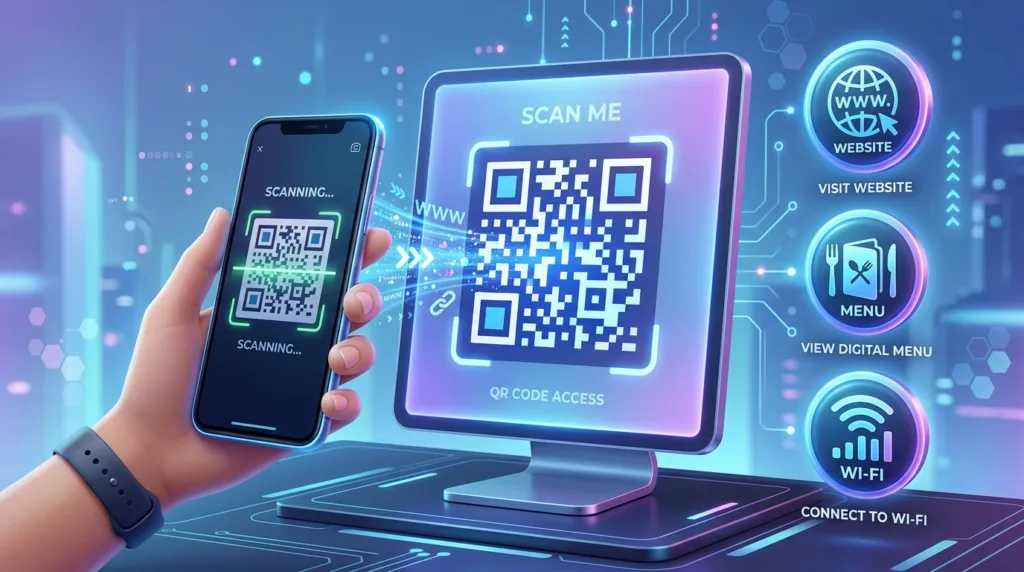
What your phone is actually reading
QR stands for Quick Response, a two-dimensional code originally developed by DENSO WAVE. Unlike a traditional one-dimensional barcode, which stores information along a sequence of bars, a QR code uses a grid of dark and light modules arranged in two dimensions. That structure allows considerably more information to be represented within a relatively compact symbol.
DENSO WAVE’s official QR Code documentation explains that the format can encode several types of data and includes error-correction capabilities that allow information to remain readable even when part of the symbol is dirty or damaged. The three prominent square patterns near the corners help a scanner determine the code’s position and orientation, which is why a phone can normally recognize it from different angles.
For everyday use, the most familiar QR codes contain a web address. Scanning one may open a menu, registration page, map, payment portal, document, social profile, or another online destination. The code can represent other forms of information as well, although a URL is often the most practical choice because the webpage can contain far more information than you would want to encode directly into the symbol.
There is an important consequence to that simplicity: a QR code containing a web address does not independently know whether the destination is useful, current, trustworthy, or even still online. It faithfully represents the information used when it was created. The quality of the experience therefore depends heavily on the link behind it.
Decide where people should arrive before creating anything
Suppose you are preparing a flyer for a school event. You could create a QR code that leads to the school’s homepage, another that opens a PDF with event details, or one that goes directly to a registration form.
All three codes would work technically, but they would create very different experiences.
Someone scanning from a poster generally expects to reach the information promised by that poster without navigating several additional pages. A direct link to the event page is therefore usually more useful than sending the person to a broad homepage and expecting them to search from there.
The same reasoning applies to business cards, menus, signs, packaging, presentations, classroom material, and personal invitations. Before generating the code, open the destination yourself and view it on a phone. Confirm that the page loads properly, that important information is easy to find on a small screen, and that the URL is the one you actually intend to distribute.
This check matters because a QR code can outlive the moment when it was created. A poster may stay on a wall for months; printed packaging can circulate much longer; a PDF containing the code may remain in someone’s files after the original campaign has ended. Links that depend on temporary sessions, private accounts, or pages scheduled for removal make poor long-term destinations.
For a permanent printed code, choose a destination whose future you can reasonably control. Reprinting hundreds of cards because the underlying page disappeared is much more inconvenient than correcting the link before the code is published.
You may already have a QR generator in your browser
Basic QR creation does not necessarily require a specialized website.
Google Chrome, for example, includes a built-in way to create a QR code for the webpage currently open in the browser. Google’s Chrome sharing instructions document QR-code sharing on supported devices, allowing a page to be represented as a code that can then be shared or saved.
That approach is convenient when the goal is simply to turn an existing webpage into a QR code. Open the page you want, use Chrome’s sharing controls, choose the QR-code option where available, and save or share the resulting image.
Other applications and online services can create QR codes as well, sometimes with additional design options, analytics, editable destinations, or business-oriented features. Those extras can be useful, though they introduce another consideration: some services generate a code that depends on their own redirect system rather than encoding your final URL directly.
For an ordinary static code, simplicity has advantages. A QR code containing the destination URL directly does not need an intermediary service to keep operating. A service that offers a changeable or “dynamic” destination can provide flexibility, particularly when printed materials need to remain unchanged while the target page evolves, but continued operation may depend on that provider and, in some cases, on a paid plan.
Before relying on a third-party generator for something important, understand whether the resulting code points directly to your URL or passes through the provider’s infrastructure.
Testing deserves more time than generating
A QR code that looks correct on your computer screen can still fail in the environment where people actually encounter it.
Generate the code, then scan the saved image with another device when possible. Confirm that the preview shows the destination you expected and that the resulting page opens normally. For a code that will be printed, perform another test after printing rather than assuming that a successful screen test guarantees the physical version will behave identically.
Size matters because the camera needs enough visual information to distinguish the individual modules. A code reduced to a tiny square in the corner of a crowded flyer may become difficult to scan, particularly from a distance. The appropriate physical size depends on where the code appears and how far away the phone is likely to be. A code placed on a business card is viewed from much closer than one mounted on a wall.
Contrast matters as well. Traditional black modules on a white background are easy for cameras to distinguish. QR codes can use other colors and designs, yet low contrast, elaborate gradients, busy backgrounds, or decorative elements covering too much of the symbol can make recognition less reliable. DENSO WAVE specifically cautions that excessive deformation or illustrations placed over parts of a QR code can interfere with scanning, even though the format includes error correction.
That error-correction capability is valuable rather than magical. DENSO WAVE documents four correction levels, with greater redundancy allowing progressively more damaged data to be reconstructed at the cost of a denser or larger code. In practical terms, a QR code may survive a small scratch or printing imperfection; deliberately covering large portions with a logo because “QR codes can repair themselves” is a poor substitute for testing.
Surrounding space also contributes to readability. A code squeezed against text, graphics, or another dark element gives the scanner less visual separation. Leaving clean space around it helps the camera identify where the symbol begins and ends.
The final test should resemble real use. A code intended for a printed menu should be tested from the approximate viewing distance of that menu. A poster should be checked after being mounted. A presentation slide deserves testing from a screen rather than only from the original image file.
Small imperfections that are invisible during design become obvious once someone holds up a phone and waits for something to happen.
Scanning usually requires only the camera
Modern smartphones can recognize QR codes without a dedicated QR-reader app in most ordinary situations. On supported iPhones and Android devices, opening the camera and pointing it at the symbol generally produces a link or notification that can be tapped.
The phone does not need to fill the entire frame with the code. Keep the image reasonably steady, make sure the code is visible and in focus, and allow a moment for recognition. Glare on laminated surfaces, poor lighting, damage to the printed symbol, or an unusually small code can interfere with detection.
A QR code shown on your own phone introduces a practical limitation because you cannot easily point the same camera at its own screen. Some apps and operating-system features can recognize QR codes contained inside saved images, while another device can also scan the screen directly. The exact options vary by device and software version.
Once the code is recognized, take a moment to read the destination displayed by the phone before opening it, especially when the source is unfamiliar.
That small preview becomes important because the pattern itself does not visually reveal where it leads.
A QR code can hide a bad link just as easily as a useful one
QR codes remove the inconvenience of typing an address, but they also remove the opportunity to see that address before scanning. A printed square can lead to a legitimate restaurant menu, a familiar payment service, or a fraudulent website with equal ease.
The Federal Trade Commission has warned about scams in which fraudulent QR codes are placed over legitimate ones, including reports involving parking meters. Its current guidance on QR-code scams recommends inspecting the URL preview for misspellings or altered characters before opening the destination.
Context helps here. A QR code printed inside an official document you expected carries a different level of confidence from a sticker placed over another sticker on a public payment terminal. An unexpected QR code in an urgent email or text deserves the same caution you would apply to an unexpected clickable link.
For payment or account activity, confirming the destination becomes especially worthwhile. Opening the organization’s official app or known website can be more reliable when the code looks physically altered or the destination shown by the phone does not match the service you expected.
The broader principles in How to Tell If a Website Is Safe to Visit still apply after a QR scan. The method used to reach a webpage does not change the need to evaluate the address and the behavior of the page itself.
Good placement explains why the code is there
A QR code without context forces the person looking at it to decide whether scanning is worth the uncertainty.
A short description solves much of that problem.
View the event schedule
Open the digital menu
Download the course materials
See directions
A few words establish an expectation before the camera comes out. They also help the user notice when the result does not match what was promised. A code labeled “View the menu” that opens an unrelated login screen immediately feels wrong.
Instructions should remain proportionate to the setting. Most smartphone users already know how to point a camera at a QR code, so a large paragraph explaining the mechanics may be unnecessary on a restaurant table. An audience less familiar with the technology may benefit from a short note such as “Open your phone’s camera and point it at the code.”
Placement can affect whether people use the code at all. A code positioned where someone can comfortably hold a phone in front of it tends to work better than one printed near the floor, placed behind reflective glass, or displayed briefly on a screen before anyone has time to scan it.
The physical environment is part of the design.
Sometimes a normal link remains the better choice
QR codes are especially useful when information needs to cross from a physical setting to a phone. Their advantage is smaller when the user is already on the same digital device where the destination will open.
Consider an email being read on a phone. A clickable text link takes the reader directly to the destination, while a QR code inside that same email may require the user to save the image, use another scanning feature, or find a second device. The code adds work instead of removing it.
The same applies to many websites and digital documents. A normal hyperlink is accessible, searchable, easy to copy, and immediately usable with a mouse, keyboard, or touch screen. A QR code can accompany it when the content may also be printed or shown on another screen, though replacing a perfectly functional link with a code alone can make the experience less convenient.
Physical posters, printed invitations, product inserts, classroom displays, event signage, and presentations are more natural settings because the code bridges two environments. The user sees information somewhere other than the phone and wants to bring the destination onto the phone quickly.
That relationship is what makes QR codes feel effortless when they are used well.
Build the code around the moment someone will scan it
Creating a QR code takes seconds. Designing one that remains useful requires a little more judgment.
The destination should be correct and suitable for a phone. The printed symbol needs enough size, contrast, and surrounding space to scan reliably. The text around it should tell people why opening the code is worthwhile, while the placement should allow them to reach it without awkward positioning or guesswork.
Testing ties those decisions together. Scan the final version in conditions similar to the real setting, confirm the URL before opening it, and continue far enough into the destination to make sure the experience actually delivers what the label promised.
Once those details are settled, the QR code recedes into the background, which is usually a sign that it is doing its job well. Someone sees a reason to scan, raises a phone, reaches the intended information, and continues without needing to think about how the square pattern made the transition happen.

Alex Carter is a technology writer with five years of experience in the tech field. He now focuses on creating clear, practical articles that help beginners in the United States better understand computers, smartphones, online services, and everyday digital technology.