
A password can fail in several ways without looking weak.
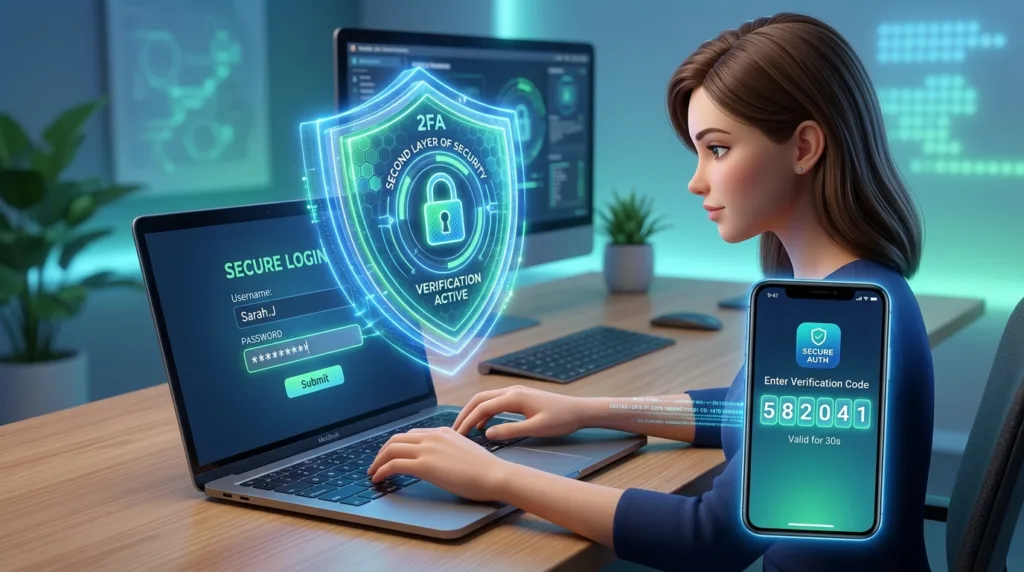
It can be reused on another website that suffers a breach. It can be stolen through phishing. It can be exposed by malware, entered into an imitation login page, or simply guessed because it follows a familiar pattern.
Two-factor authentication exists because relying on one credential creates a single point of failure.
Instead of asking only for something you know — usually a password — an account asks for another form of evidence that you are really the person trying to sign in. That second step might come from your phone, an authenticator app, a physical security key, or a biometric feature tied to a trusted device.
The terminology varies. You may see two-factor authentication, 2FA, two-step verification, or the broader term multi-factor authentication (MFA). The underlying idea is similar: one compromised credential should not automatically give someone access to the account.
For anyone who uses email, cloud storage, social media, work accounts, or online services containing personal information, that extra layer is worth understanding.
Why a password alone can leave too much riding on one secret
Consider your primary email account.
You may have created a long, unique password and followed every sensible password recommendation. That is a strong start, but email often sits at the center of many other accounts. Password-reset messages, verification links, purchase receipts, cloud-service notifications, and security alerts may all pass through it.
If someone obtains the password, the consequences can extend beyond that inbox.
Two-factor authentication changes the equation.
The Cybersecurity and Infrastructure Security Agency describes multi-factor authentication as requiring two or more different authenticators, such as something you know, something you have, or something you are. The purpose is straightforward: if one factor is compromised, an attacker still has another barrier to overcome.
A password may be something you know.
Your phone or a physical security key may be something you have.
A fingerprint or facial recognition can represent something you are, depending on how the authentication system is designed.
The strength comes from combining independent forms of evidence rather than asking the same question twice.
A second password is not really a second factor
This distinction is easy to miss.
Imagine an account asks you for your normal password and then asks for a separate security PIN that you also memorized.
There may be value in requiring both, but both pieces of information belong to the same general category: something you know.
True multi-factor authentication is strongest when the factors come from different categories.
That is why a password followed by approval from a registered phone is conceptually different. Someone who learned the password still needs access to another trusted factor.
The distinction matters because two-factor authentication is not simply about making the login process longer. A useful second factor should make the first credential insufficient on its own.
This is also why 2FA works best alongside, rather than instead of, good password habits. How to Create a Strong Password You Can Actually Remember explains why unique passwords still matter even after another authentication factor has been added.
What signing in with 2FA actually feels like
The first time you enable two-factor authentication, the process may sound more cumbersome than it is in everyday use.
Suppose you sign in to an account from a new laptop.
You enter your email address and password as usual. Instead of immediately opening the account, the service asks for another verification step.
You might receive a prompt on your phone:
“Are you trying to sign in?”
You review the request and approve it.
In another system, an authenticator app might display a temporary numerical code. You type that code into the login page and continue.
Some services may send a code by text message. Others support hardware security keys, passkeys, or built-in device authentication.
Google’s 2-Step Verification guidance describes several of these possibilities, including prompts on a trusted phone, codes, and passkeys.
Once the device is recognized, an account may not ask for the second step on every single visit. The exact behavior varies by service, device, risk signals, and security settings.
The additional effort is often concentrated around new devices or unusual sign-ins rather than every routine interaction.
Not every second factor offers the same level of protection
This is where the subject becomes more nuanced.
It is common to hear “turn on 2FA” as though all two-factor methods were interchangeable. They are not.
A verification code sent by SMS is generally an improvement over password-only authentication because an attacker who knows the password still needs access to the code.
However, text messages have limitations. Phone numbers can be targeted through attacks such as SIM swapping, and phishing sites can sometimes persuade users to enter temporary codes just as they enter passwords.
Authenticator apps usually generate or facilitate verification independently of ordinary SMS delivery, reducing some of those risks.
Security keys and certain modern passkey-based systems can go further by making authentication resistant to common forms of phishing.
CISA specifically recommends phishing-resistant MFA when available and notes that some MFA methods provide substantially stronger protection than others. Its guidance identifies threats such as phishing, push-notification abuse, and attacks involving phone-based authentication.
That does not mean you should refuse to enable 2FA because the only available option is SMS.
A practical security improvement does not have to be perfect before it is worthwhile.
If a service offers text-message verification and no stronger option, password plus SMS can still create an additional hurdle compared with a password alone. If the service later offers an authenticator app, passkey, or security key, you can reassess.
Authenticator apps do not send you a new password
Authenticator apps are often misunderstood when someone encounters them for the first time.
Applications such as Google Authenticator, Microsoft Authenticator, and others can be connected to supported online accounts. Depending on the system, the app may generate temporary codes or send an approval request when someone attempts to sign in.
The code changes frequently and is not the same as your account password.
That is intentional.
Even if someone sees one temporary code, it is generally useful only for a short period and for a specific authentication process.
During setup, a website may display a QR code that you scan with the authenticator app. This links the account with the authentication method. Microsoft, for example, documents QR-code setup as part of enabling verification methods for supported accounts in its two-step verification guidance.
One practical rule deserves emphasis: do not treat a QR code used to configure authentication as something to post publicly or casually share. It can contain information involved in establishing that authentication relationship.
Once configured, the authenticator becomes part of how you prove that a login attempt is yours.
Push notifications are convenient, but they still require attention
Some authentication systems send an approval request directly to your phone.
That can be easier than typing a six-digit code.
It can also create a dangerous habit if you approve prompts automatically.
Suppose you are sitting at home and receive a notification asking whether you are trying to sign in to an account, even though you have not attempted to log in anywhere.
Do not approve it simply to make the notification disappear.
An unexpected authentication request can indicate that someone has your password and is hoping you will approve the second step for them.
Repeated requests can be particularly deceptive because fatigue can turn careful users into impatient ones. Security professionals sometimes refer to attacks that bombard someone with approval requests as MFA fatigue or push bombing.
The second factor only helps when you treat it as a question:
Did I initiate this login?
If the answer is no, deny the request and investigate the account. Depending on the circumstances, that may include changing the password, reviewing recent sign-in activity, and checking whether recovery information has changed.
The broader lesson is that 2FA introduces a decision point. It should not become another notification you dismiss without reading.
What happens if you lose the phone?
This is one of the most reasonable concerns beginners have about enabling two-factor authentication.
If your phone is the second factor and the phone disappears, how do you get back into the account?
The answer depends on how the service handles recovery.
Many platforms let you register more than one authentication method, store recovery codes, add a backup phone or email, use another trusted device, or configure a security key.
These options should be considered before you need them.
Microsoft explicitly warns users that enabling two-step verification makes recovery information more important because losing access to the second method can complicate account recovery. It recommends maintaining sufficient security information associated with the account.
When a service gives you recovery codes, store them somewhere secure and independent of the device you are protecting.
Saving the only recovery code as a screenshot on the phone itself, for example, is not particularly helpful if that phone is the thing you lose.
The same principle applies to password managers and cloud services: recovery planning is most useful when it does not depend entirely on the same device or account that might become inaccessible.
Two-factor authentication does not make phishing disappear
Adding a second factor substantially improves account security, but it should not create false confidence.
Some phishing attacks are designed to capture both a password and a temporary verification code in real time.
A fake login page may first ask for your password and then display another field asking for the six-digit code your phone just received. If you enter both, an attacker may attempt to use them immediately on the legitimate service.
That is one reason phishing-resistant methods are becoming more important.
It is also why the basic rule from ordinary password security still applies: be cautious about where you enter your credentials, not just how strong those credentials are.
Unexpected emails or text messages that create urgency deserve particular scrutiny. Messages claiming that your account will be suspended unless you sign in immediately are designed to get you moving before you start evaluating the details.
The upcoming article How to Recognize a Phishing Email Before You Click will focus on those warning signs in depth.
For now, remember that two-factor authentication strengthens the login process; it does not make every page asking for a verification code legitimate.
Passkeys are changing what “two-factor” can look like
Passwords are no longer the only model for signing in.
Passkeys allow supported services to authenticate a user through a trusted device using something such as a fingerprint, face scan, device PIN, or screen lock. The underlying credentials are designed differently from conventional shared passwords, and major technology platforms increasingly support them.
Google notes in its account-security documentation that a passkey can confirm possession of the device and the local unlocking method, allowing users to sign in without going through the traditional password-plus-code sequence.
This can sound confusing if you have just learned that “two steps are better than one.”
The important distinction is between the number of screens you see and the number or type of authentication factors involved.
Strong authentication does not always need to feel cumbersome.
A modern system can combine device possession and local user verification in a way that provides strong protection while requiring fewer visible actions.
For a beginner, there is no need to become an expert on authentication protocols. What matters is recognizing that login security is evolving beyond the idea of memorizing increasingly complicated passwords.
Which accounts deserve 2FA first?
Ideally, enable strong authentication anywhere important that supports it.
If doing everything at once feels overwhelming, start with the accounts that could create the largest chain reaction if compromised.
Your primary email account belongs near the top of that list.
So do accounts that control cloud files, saved passwords, devices, work systems, or sensitive personal information.
Google, Apple, and Microsoft accounts often connect multiple services, making them particularly consequential.
Financial services also deserve strong authentication, although the exact security methods available vary by institution.
After those central accounts are protected, move outward to social networks, shopping accounts, communication platforms, and other services you use regularly.
The order matters less than making consistent progress.
Security habits are easier to sustain when they become part of normal account setup rather than a massive one-time project.
The extra step is most valuable on the day your password fails
Most days, two-factor authentication feels almost uneventful.
You sign in, approve a request, and continue with whatever you were trying to do.
Its value becomes clearer on the unusual day when someone else obtains your password.
Without another factor, the password may be enough.
With 2FA enabled, the attacker encounters another requirement — a device, code, security key, biometric check, or other authenticator they may not possess.
That does not make the account invulnerable. Security rarely works in absolutes.
It does make a stolen password substantially less useful on its own.
For beginners, that is the most practical reason to enable two-factor authentication. You are not trying to build an impenetrable digital fortress or memorize an entirely new security system. You are simply refusing to let one secret carry the entire burden of protecting an important account.
A strong, unique password remains worthwhile.
Learning to recognize suspicious login pages remains worthwhile.
Keeping recovery options current remains worthwhile.
Two-factor authentication adds another independent obstacle when one of those protections fails — and that makes it one of the most useful account-security habits you can adopt.

Alex Carter is a technology writer with five years of experience in the tech field. He now focuses on creating clear, practical articles that help beginners in the United States better understand computers, smartphones, online services, and everyday digital technology.