
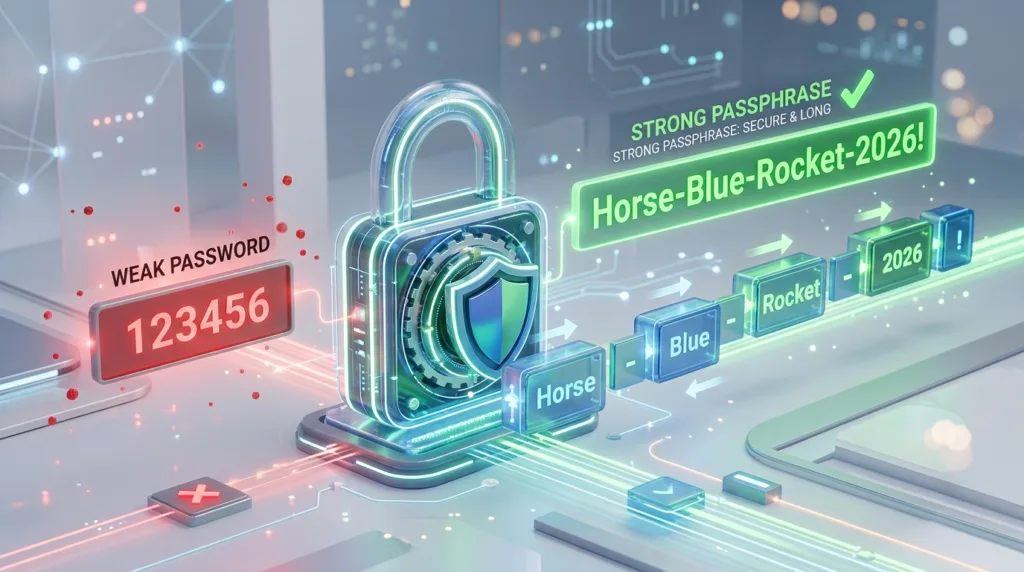
A password can be technically impressive and still be a terrible password for a real person.
Something like T7!qP9#vL2@x looks complicated, but unless a password manager created and saved it for you, remembering it later is another matter entirely. That tension explains why so many people fall back on familiar names, birthdays, predictable substitutions, or the same password across several accounts.
The problem is not that people do not understand passwords are important. It is that they are expected to create credentials that are both difficult for someone else to guess and realistic for them to manage.
Fortunately, those goals are not as contradictory as they seem.
Modern password guidance has shifted away from the idea that every strong password must look like a random jumble of symbols. Length, uniqueness, and resistance to guessing matter more than making a password unnecessarily difficult for its owner.
That changes the way beginners should think about password security.
A strong password is not simply a complicated-looking password
For years, people were commonly told that a secure password needed a capital letter, a lowercase letter, a number, a symbol, and perhaps a few substitutions such as changing the letter O to zero.
The result often looked something like:
Summer2026!
It satisfies several familiar complexity rules, but it is still built around a common word, a predictable year, and a predictable symbol at the end.
Someone trying to guess passwords does not necessarily test every possible combination in a completely random order. Common words, patterns, names, dates, and familiar substitutions can be tried much earlier.
This is one reason current guidance from the National Institute of Standards and Technology places strong emphasis on password length. NIST currently recommends passwords of at least 15 characters when a password is the primary authentication method and suggests passphrases as a practical way to create something both long and memorable.
That does not mean symbols and numbers are bad. Some websites still require them, and they can be part of a strong password.
They simply should not distract you from the more important questions: Is the password long enough? Is it difficult to predict? And, crucially, is it unique to this account?
Reusing one good password is still risky
Suppose you create an excellent password and use it for your email, a shopping account, a streaming service, and three other websites.
From your perspective, this feels efficient. You only need to remember one strong credential.
The problem appears if just one of those services suffers a breach and your login information is exposed.
An attacker can take a password stolen from one service and try the same email-and-password combination on other sites. This type of attack is commonly known as credential stuffing.
The password did not suddenly become weak because its characters changed. It became dangerous because it was reused.
That is why uniqueness is one of the most important properties a password can have.
Google makes the same recommendation in its guidance for creating strong passwords, advising users to create different passwords for important accounts rather than reuse one credential across several services.
Your email account deserves particular attention because it is often connected to password-reset links for many other accounts. If someone gains access to your email, the consequences can extend far beyond reading your messages.
This is also where another layer of protection becomes valuable. What Is Two-Factor Authentication and Why Should You Use It? explains why a password does not have to be the only barrier protecting an account.
Longer can be easier to remember
A useful password does not necessarily need to look like code.
One approach is a passphrase: a longer sequence of words that creates substantial length without forcing you to memorize a string of unrelated characters.
For example, imagine a phrase built from several unrelated words. The point is not to copy a phrase someone else published online, but to understand the principle: multiple words can create a password that is much longer than a typical eight-character credential while remaining easier for a person to recall.
NIST specifically recommends this kind of approach because longer passwords generally increase the number of possible combinations an attacker would need to consider. Its current consumer guidance suggests at least 15 characters and highlights passphrases as a way to reach that length without making the password unnecessarily frustrating.
There is an important qualification, however.
A long phrase such as ilovemyfamilyverymuch is not automatically strong simply because it contains many characters. It is built from an obvious, natural-language expression that someone could reasonably attempt.
Likewise, adding predictable information about yourself does not improve matters much.
SebastianNewYork1988!
may be lengthy, but if those details are publicly available or easily associated with you, the password becomes easier to anticipate.
Length helps most when the underlying choice is not obvious.
Personal information is memorable for you — and sometimes for everyone else
People naturally build passwords from things they already remember.
A pet’s name. A birthday. A favorite sports team. A child’s name. A hometown. An anniversary.
The appeal is obvious: there is nothing new to memorize.
Unfortunately, much of that information can be discoverable.
A social media profile might reveal the name of your dog. Birthday posts can reveal a date. Professional profiles show employers and schools. Public posts may expose favorite teams, hobbies, cities, family names, or major life events.
Google specifically recommends avoiding personal information that people who know you — or people looking through publicly accessible information — could guess.
This does not mean every password needs to consist of meaningless randomness. It means the memorable structure should not depend on biographical details that function almost like clues.
A password should make sense to you without becoming obvious to someone who has spent ten minutes looking at your online presence.
That distinction becomes increasingly important as more of everyday life moves into online accounts. Our later guide How to Protect Your Personal Information Online will deal with the broader problem of how seemingly harmless details accumulate across the internet.
Common substitutions do not magically transform a weak password
Replacing letters with similar-looking numbers can make a password appear more sophisticated:
password becomes P@ssw0rd.
But this pattern has been used for so long that it should not be treated as a secret technique.
Attackers and password-cracking tools can account for common substitutions.
The same applies to adding 123, a year, or an exclamation point to the end of an otherwise predictable password.
A person may look at Michael2026! and see uppercase, lowercase, numbers, and punctuation.
A security system sees a very familiar structure.
A better approach is not to ask, “How can I decorate this weak password?”
Ask instead, “How can I create something longer, less predictable, and unique to this account?”
That shift in thinking is more useful than memorizing a checklist of character types.
The real difficulty is having dozens of unique passwords
Creating one memorable password is manageable.
Creating a different strong password for every email account, social network, streaming service, store, cloud platform, work tool, and subscription is another matter.
This is where password managers become particularly useful.
A password manager stores credentials in a protected system so you do not have to memorize every password individually. It can also generate long, random passwords that would be unrealistic for most people to remember manually.
Instead of inventing thirty variations of the same familiar password, you can allow the manager to create unique credentials for different services.
Google Password Manager, for example, can generate and store unique passwords and passkeys for supported accounts. Google’s Password Manager documentation also explains how saved credentials can be managed across supported devices.
Browsers, operating systems, and dedicated third-party applications offer similar capabilities.
Using a password manager changes the challenge. You no longer need to memorize every individual account password, but you do need to protect access to the password manager itself.
That central account deserves a particularly strong credential and, where available, additional authentication.
Should you write passwords down?
The answer is more nuanced than the familiar rule “never write down a password.”
The risk depends heavily on where the password is written and who might gain access to it.
A password written on a sticky note attached to a monitor in a shared office is clearly a poor choice. Anyone walking past can see it.
A password stored in an unprotected text file called passwords.txt on a shared computer is not much better.
But someone who has difficulty remembering an important password may face a different trade-off if the alternative is repeatedly using the same weak password everywhere.
The safer objective is to keep credentials in a location that is appropriately protected from the people who should not have access to them.
For many users, a reputable password manager provides a better balance between convenience and protection than scattered notes or repeated passwords.
There is no benefit in adopting a security habit so difficult that you immediately abandon it.
Good security needs to survive ordinary life.
Do not share a password just because someone asks convincingly
Strong passwords are useful only if they remain private.
A phishing message does not need to guess your password if it can persuade you to type it into a fake login page.
That is one reason password security cannot be separated completely from browsing habits and account awareness.
An email might claim that your account will be closed unless you “verify” it immediately. A text message may say there was suspicious activity and provide a login link. The page that opens can look remarkably similar to the genuine service.
If you enter your password there, its complexity no longer matters.
Rather than following an unexpected login link, it is often safer to open the service through the app you normally use or type the known website address yourself.
We will explore this much more thoroughly in How to Recognize a Phishing Email Before You Click.
For now, remember that passwords should be entered because you chose to access an account, not because an unexpected message created urgency.
Changing passwords constantly is not always an improvement
Another piece of traditional password advice deserves some context.
People were once frequently instructed to change passwords on a fixed schedule — every 30, 60, or 90 days, regardless of whether anything had happened.
Modern guidance has moved away from forcing arbitrary changes in many circumstances.
NIST’s current recommendations emphasize changing a password when there is evidence that it has been compromised rather than requiring routine changes simply because a certain number of days has passed.
There is a practical reason.
When people are forced to create new passwords constantly, they often make predictable alterations:
OfficePassword1!
becomes:
OfficePassword2!
and then:
OfficePassword3!
Technically, the password changed. In reality, the underlying pattern hardly changed at all.
A unique, strong password that remains uncompromised can be more useful than a succession of weak passwords created merely to satisfy a calendar.
Of course, if a service tells you that your password may have been exposed, you see suspicious activity, or you discover that the same password was reused on a breached account, changing it promptly makes sense.
Pay special attention to the accounts that can unlock other accounts
Not every account plays the same role in your digital life.
Losing access to a casual forum account is inconvenient.
Losing control of your primary email account can be much more serious.
Email is commonly used for account recovery. Password-reset links, security notifications, verification codes, purchase receipts, and personal correspondence may all pass through it.
Your Apple, Google, or Microsoft account can also be particularly important because it may connect devices, cloud files, saved passwords, photographs, or other services.
Start by protecting those central accounts well.
Use unique passwords. Add recovery information carefully. Enable two-factor authentication when available. Review security notifications rather than dismissing them automatically.
Once the accounts at the center of your digital life are secure, work outward to the other services you use regularly.
Trying to overhaul every password you have ever created in one afternoon can feel overwhelming. Prioritizing the accounts with the greatest consequences makes the process more manageable.
A password you can manage is better than a perfect system you will not use
Password advice can become surprisingly rigid.
One person insists that every credential must contain random characters. Another says everyone needs a dedicated password manager immediately. A third promotes a particular formula for creating passphrases.
The technical details matter, but so does the person using the system.
For a beginner, the most useful improvement may simply be stopping password reuse.
For someone who already has dozens of unique credentials, adopting a password manager may eliminate unnecessary mental effort.
For another person, enabling two-factor authentication on email may produce the most immediate security benefit.
What matters is moving toward a system that is both stronger and sustainable.
A good password should be difficult for someone else to predict, unique to the account where it is used, and long enough to resist easy guessing. If remembering many such passwords becomes impractical, let a password manager handle that burden rather than weakening every credential until they are easy to memorize.
Security works best when it becomes habitual rather than exhausting.
You should not need to solve a puzzle every morning just to sign in to your email. Nor should convenience require using the same password everywhere.
The useful middle ground is remarkably practical: longer passwords, unique credentials, fewer predictable personal details, a password manager when necessary, and another authentication factor on accounts that matter most.
Those habits are less dramatic than inventing an impossible-looking password — and considerably more useful.

Alex Carter is a technology writer with five years of experience in the tech field. He now focuses on creating clear, practical articles that help beginners in the United States better understand computers, smartphones, online services, and everyday digital technology.