
Having several online accounts is no longer unusual. One email address may be tied to personal files and shopping, another belongs to work, a third came from school, and somewhere in the background there may be older Google, Microsoft, Apple, social media, streaming, gaming, and cloud-storage accounts that are still technically active. Confusion usually appears gradually: a document opens under the wrong profile, a password reset goes to an inbox you rarely check, a subscription belongs to a different account than you expected, or a browser quietly signs you into whichever profile happened to be active first.
Managing that collection becomes easier once you stop relying on memory alone. The goal is to give each account a recognizable role, keep its login and recovery information accessible, and make the device itself help distinguish one identity from another. A small amount of structure can prevent the surprisingly common experience of knowing that an account exists while having no idea which email address, password, or sign-in method belongs to it.
Start by separating accounts that only look like the same thing
An email address, an online account, and a browser profile are related, but they are not interchangeable.
Your Gmail address is part of a Google Account that can also connect to services such as Drive, Photos, YouTube, and other Google products. A Microsoft account may use an Outlook address, another email address, or an alias while connecting to services such as OneDrive or Windows. A work account can use the same written email address that appears in other contexts while still being controlled by an employer’s Microsoft 365 or Google Workspace environment.
That distinction explains some otherwise baffling login screens. Microsoft, for example, documents situations in which the same email address can be associated with both a personal Microsoft account and a work or school account. The service may then ask which account you intend to use because the identical-looking address points to two different account systems.
Google also allows several Google Accounts to remain signed in at the same time on the same computer. Each account retains separate settings, although Google notes that certain products may use the default account in ways that are not always obvious.
The practical lesson is to notice the account behind the address. When a website asks you to sign in, look at which service is requesting authentication and which profile is currently active rather than assuming the visible email address tells the whole story.
Make a small account map before trying to organize everything
You do not need a spreadsheet containing every website you have ever visited. A short inventory of the accounts that control important parts of your digital life is usually enough to reveal where the confusion comes from.
Start with the accounts that act as hubs:
- your primary personal email;
- work or school accounts;
- Google, Microsoft, or Apple accounts connected to your devices;
- cloud storage;
- financial or shopping accounts you use frequently;
- social platforms that matter to you;
- any older account that still receives password-reset or security messages.
For each one, identify the username or email address used to sign in, its general purpose, and the recovery email or phone number associated with it. You do not need to place passwords in this list; a password manager is a better place for credentials.
This exercise often uncovers duplication. You may find two Google Accounts created years apart, an old Microsoft account that still owns a subscription, or a shopping account registered under an email address you planned to abandon.
It also clarifies which accounts deserve the most protection. An inbox that recovers twenty other services has a different role from an account created once to participate in an online forum.
Give personal, work, and school accounts visible boundaries
Account mistakes become more likely when several identities look identical on the same screen.
Google explicitly recommends using different profile photos or Gmail themes to help distinguish accounts when several are signed in simultaneously. That small visual cue can be surprisingly effective: a work account with one profile image and a personal account with another is easier to recognize than two circles containing similar initials.
Browser profiles provide an even stronger separation.
A personal browser profile can retain personal bookmarks, history, extensions, saved sessions, and account logins. A work profile can maintain a different environment with company email, work documents, and professional services already signed in. Moving between profiles becomes a deliberate change of context rather than repeatedly signing individual websites in and out.
That separation is particularly useful with services that automatically open under the account already active in the browser. Without a visible boundary, it is easy to create a Google Doc under a personal account, request access to a company file from the wrong address, or upload something to an unintended cloud drive.
Some people prefer separate browsers for the same reason — perhaps one browser for work and another for personal use. There is nothing inherently better about that approach than profiles. The useful feature is the visible boundary, because it reduces the amount of identity checking you have to perform manually throughout the day.
Let a password manager remember the account details you should not have to memorize
Multiple accounts become exhausting when each one requires a unique password and you try to carry all of those credentials in memory.
Reusing one familiar password appears to solve the memory problem while creating a much larger security problem. A password exposed through one service can then become useful against several unrelated accounts.
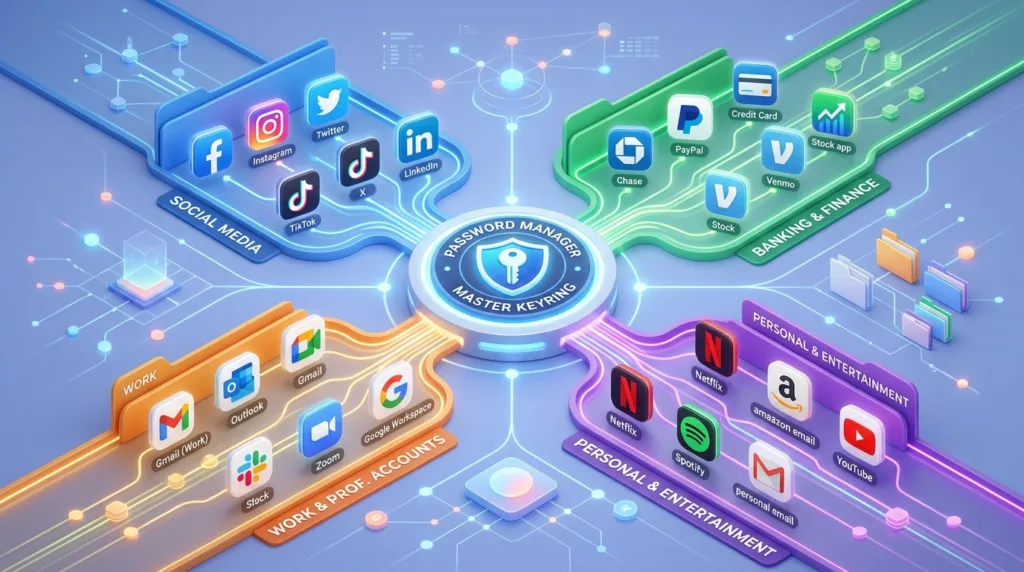
A password manager changes the task. Instead of memorizing every password, you maintain access to the password manager and allow it to store unique credentials for individual services. Modern browsers and operating systems also include password-management features, while dedicated password managers can provide additional organization and cross-platform capabilities.
The account name matters almost as much as the password. A useful password-manager entry should make it clear whether alex@example.com belongs to the personal Google Account, work portal, streaming service, or another login rather than leaving several nearly identical entries called “Google” or “Account.”
This becomes especially helpful when websites offer multiple sign-in methods. You may have created an account with a normal email-and-password registration, Sign in with Google, Sign in with Apple, or another identity provider. Months later, trying a different method can make it appear that your account has disappeared or, in some services, lead you toward creating a separate account.
Recording the sign-in method prevents that uncertainty.
How to Create a Strong Password You Can Actually Remember explains the broader password strategy, including why uniqueness matters more than creating minor variations of one password.
Recovery information is where old accounts often become a problem
An account may work normally for years without asking for recovery information. The weakness appears on the day you forget the password, lose a trusted device, or trigger a security check.
Older accounts are particularly vulnerable to stale recovery details. The backup email may belong to an address you no longer use, while the phone number could have been replaced years ago. Everything seems fine until the recovery system tries to contact a version of you that no longer exists.
A periodic review does not need to cover every trivial website. Focus on the accounts that would be difficult to replace: primary email, cloud storage, major device accounts, work or school identities still in active use, and anything holding valuable purchases, files, or subscriptions.
Two-factor authentication deserves similar attention. An authenticator or trusted phone adds useful protection, but the account also needs a realistic recovery route when that device changes. Backup codes, additional supported verification methods, or current recovery information can prevent stronger security from becoming an accidental lockout.
Our guide What Is Two-Factor Authentication and Why Should You Use It? goes deeper into the available methods and their tradeoffs.
Decide which account should be your default instead of letting chance decide
Default accounts quietly influence many online tasks.
You click a shared Google document and it opens under one of several signed-in accounts. A calendar invitation lands in one calendar rather than another. A browser opens webmail under whichever profile was last active. A purchase becomes connected to one Apple or Microsoft identity and later seems to be missing when you check another.
Choosing a primary personal account reduces some of that ambiguity. It becomes the address you normally use for personal registrations, recovery messages, purchases, and services that you expect to keep long term.
Work and school accounts can remain intentionally separate because their lifespan and ownership are different. An employer may eventually disable a corporate account; a university can change access after graduation. Personal purchases, family photos, or unrelated subscriptions are generally easier to manage when they do not depend on an organizational identity you may not control forever.
There will always be exceptions. Some services are inherently connected to a workplace or school and belong there. The useful habit is simply to notice which identity you are using before creating something that you expect to keep.
Old accounts deserve a decision instead of permanent neglect
An account you no longer use still exists until it is closed, disabled by the provider, or otherwise removed.
Sometimes leaving it alone is harmless. In other cases, it contains personal information, old messages, saved payment methods, cloud files, or a password you reused elsewhere years ago.
Begin by deciding whether the account still serves a purpose.
An older email address may remain valuable because forgotten services still send recovery messages there. Closing it immediately could make those other accounts harder to recover, so moving important registrations to the newer address first is more sensible.
A service you truly no longer need is different. Before closing it, check for files, purchases, subscriptions, or information worth keeping. Cancel recurring charges and update other accounts that depend on it for recovery.
This cleanup is rarely urgent enough to become a weekend project involving fifty websites. Handling old accounts as you encounter them can gradually reduce the number of identities competing for attention.
Create routines for the moments when mistakes are most likely
Account confusion tends to happen during transitions.
You move from personal email to work email. Someone sends a shared document. You begin a video meeting. You register for a service through a link that opened in the browser already signed into another identity. Those moments deserve a brief glance at the profile picture, email address, or account selector before continuing.
Visual separation does most of the work once it has been established. Distinct browser profiles, recognizable avatars, and clear password-manager labels remove the need to remember everything from scratch.
For activities with lasting consequences — creating a document, buying a subscription, setting up a device, or registering an important service — spending a few seconds confirming the active account can prevent hours of confusion later.
The same idea applies when sharing. A document stored in the personal cloud account may not be appropriate for work collaboration, while a company file sitting in an employer-controlled account may become inaccessible after you leave the organization. Knowing which account owns an item is part of knowing where that item really lives.
Perguntas Frequentes
Is it okay to have more than one Google or Microsoft account?
Yes. Multiple accounts can serve legitimate purposes, particularly when personal, work, school, or project activities need separation. Google supports simultaneous sign-in to multiple Google Accounts, while Microsoft distinguishes personal accounts from work or school accounts. The practical challenge is keeping those identities recognizable rather than reducing everything to a single login.
Should I use the same email address for every online account?
There is no requirement to do so. One primary email is convenient for important personal services, while separate addresses can help divide work, school, shopping, newsletters, or other activities. Creating too many addresses without a system can produce the same confusion you were trying to avoid, so each additional account should have a clear purpose.
Why does a website sometimes create a new account when I choose “Sign in with Google” or “Sign in with Apple”?
Third-party sign-in can represent a different authentication method from an existing email-and-password account. How a service connects those identities depends on its own account system. When returning to a service, using the same sign-in method you originally used reduces the chance of ending up in an unexpected profile.
Is an email alias the same as a separate account?
Usually not. Microsoft, for example, treats aliases as additional email addresses associated with the same Microsoft account; they share the account’s services, storage, settings, and password. A completely separate Microsoft account has its own identity and credentials. Other providers may use the word alias differently, so check how the specific service defines it.
How often should I review old accounts?
There is little benefit in imposing a rigid monthly schedule. Review becomes worthwhile when you change your primary email address or phone number, replace an important device, notice an old account you no longer use, or discover that recovery information is outdated. Primary accounts deserve more regular attention than temporary services.
Fewer moments of uncertainty are a better measure than fewer accounts
Someone with three poorly organized accounts can be more confused than someone who manages twelve accounts with clear roles.
The number itself is rarely the real difficulty. Confusion comes from overlapping purposes, nearly identical profiles, forgotten sign-in methods, outdated recovery information, and devices that keep several identities active without making the differences obvious.
A workable system gives each significant account enough context to be recognizable. Personal and professional identities have visible boundaries. Passwords live somewhere designed to manage them. Recovery information reflects the phone numbers and email addresses you still control, while old accounts receive a decision when they surface instead of remaining indefinitely forgotten.
Once those habits are established, switching accounts becomes an ordinary part of using the internet rather than a recurring detective story about which version of yourself owns a particular file, subscription, or login.

Alex Carter is a technology writer with five years of experience in the tech field. He now focuses on creating clear, practical articles that help beginners in the United States better understand computers, smartphones, online services, and everyday digital technology.